


AutoCAD trainer
AutoCAD trainer
AutoCAD is the global standard for creating technical drawings. Do you work with drawings, or would you like to learn how to create professional 2D drawings yourself, but have little experience with AutoCAD? With Dosign Academy’s AutoCAD 2D Basics course, you will learn to work with the software quickly and purposefully. During this training course, you will develop the basic skills needed to create, modify and process technical drawings independently in your day-to-day work.
Course type
Technical Modules
Teaching location
Rotterdam
Course days
3 dagen
Start date
15-09-2027
The AutoCAD 2D Basics course is a three-day training course that takes you step by step through the fundamentals of the drawing software. You will learn to work with the most important AutoCAD functions and tools, enabling you to create clear and efficient 2D drawings. The training course is practice-oriented and suitable for anyone who wants to learn how to use AutoCAD quickly, regardless of sector or technical background.
After completing this training course, you will understand:
How to work within the AutoCAD interface
How to create accurate 2D drawings to scale
How to structure and manage drawings clearly
How to extract information from drawings and present it correctly
How to save, print and share drawings using the correct settings
After three days, you will be able to work independently with AutoCAD and apply it directly in your working environment.

The AutoCAD 2D Basics course is suitable for anyone with little or no experience in AutoCAD who wants to learn how to use the software quickly and effectively. This includes starters, technicians, engineers, draftspeople and professionals who work with technical drawings and need to be able to read, modify or create them independently.
The course is suitable for participants from different sectors and technical backgrounds. No prior AutoCAD experience is required.

The AutoCAD 2D Basics training course consists of six half-day sessions. The fee is €1,039.50 per person, excluding VAT.
Investment: €1,039.50 excluding VAT
Duration: 3 days


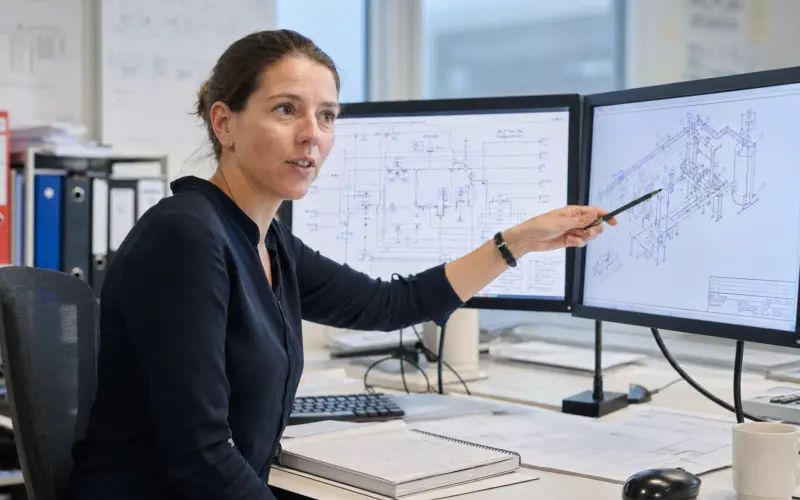

Mohammad Arab | 19-10-2026
Technical drawings are among the most important sources of information in technical work. Within process engineering, PFDs (Process Flow Diagrams) and the more detailed P&IDs (Piping & Instrumentation Diagrams) are widely used. Reading and interpreting these drawings correctly is essential for the successful execution of projects in the process industry. Dosign Academy’s PFD & P&ID Interpretation training course provides the knowledge and skills required to understand and apply these drawings effectively in your work.


Harmen Breedeveld | 05-10-2026
In technische omgevingen is schriftelijke communicatie geen bijzaak, maar een cruciaal onderdeel van het werk. Rapportages, inspectieverslagen en adviezen vormen de basis voor belangrijke besluitvorming. Toch ervaren veel engineers dat hun rapportages te lang worden of onvoldoende overtuigen, ondanks hun sterke inhoudelijke kennis. Met de training schriftelijke rapportage van Dosign Academy leer je technische informatie helder, compact en logisch vastleggen. Zo voorkom je fouten en vertraging, en maak je van schrijven een functioneel en effectief onderdeel van je werk.


Shahrad Ghanbari | 22-07-2027
Are you starting a technical HBO degree programme after the summer? Congratulations. The transition from HAVO or MBO to HBO is significant, and many students underestimate the required starting level for mathematics and physics.
In this intensive foundation course, Dosign Academy helps you refresh and strengthen your knowledge in one month, so you can start your technical studies in September with confidence and a head start.
An AutoCAD course is best followed in a learning environment where personal attention and practical applicability are central. At Dosign Academy, we combine clear explanations with hands-on practice, so you quickly see progress. The training course is delivered by a certified trainer and reflects how AutoCAD is used in practice.
Personal advice and guidance
We work in small groups of 3 to 6 participants, ensuring plenty of room for personal guidance. You can ask questions, receive additional explanations and work on exercises that match your level and learning goals.
Experienced trainers from industry
The training course is delivered by a certified trainer with extensive experience in AutoCAD. You learn not only how the software works, but also how to use it efficiently when creating and modifying technical drawings.
Practice-based training
During the AutoCAD course, you work with simple, recognisable exercises. This allows you to apply the functions you learn immediately and work independently and productively after completing the course. You work with the latest version of AutoCAD, while the knowledge gained is also applicable to AutoCAD LT and other versions.

Technical drawings form the basis of many design, engineering and production processes. Solid AutoCAD knowledge ensures that your drawings are clear, correct and professionally structured. By following an AutoCAD course, you not only strengthen your technical skills, but also increase your employability and efficiency within projects and organisations.
Would you like to learn how to work with AutoCAD quickly and efficiently? Register for the AutoCAD 2D Basics course at Dosign Academy and develop a solid foundation in technical drawing. You will learn to work with a globally recognised drawing software package and immediately increase your practical value in the workplace.